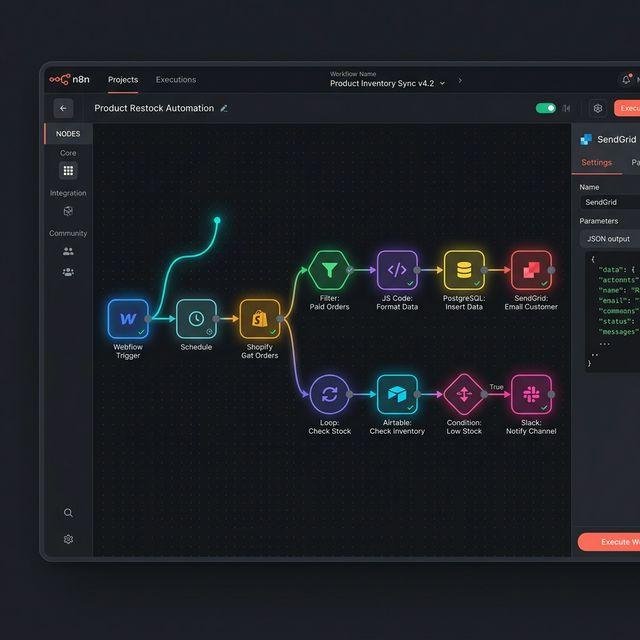
Category: Uncategorized

  • AI Workflow Automation: How to Automate Business Processes in 2026

    AI Workflow Automation: How to Automate Business Processes in 2026

    Businesses perform hundreds of repetitive tasks every day. Employees respond to emails, update spreadsheets, enter customer information, generate reports, schedule appointments, and transfer data between different applications.

    Although these tasks may seem simple, they can consume valuable time when performed manually. They can also lead to inconsistent data, missed follow-ups, and unnecessary operational costs.

    AI workflow automation offers a way to simplify these processes by combining artificial intelligence with automated workflows. Businesses can connect their applications, process information, and use AI to handle tasks that require language understanding, classification, summarization, or content generation.

    For example, an automated workflow can receive a customer inquiry, classify the message with AI, save the information in a CRM, and notify the appropriate employee.

    In this guide, you will learn what AI workflow automation is, how it works, which tools you can use, and how to build practical workflows for your business or AI automation agency.

    ๐Ÿค– What Is AI Workflow Automation?

    AI workflow automation is the use of artificial intelligence and automated processes to complete business tasks with less manual intervention.

    A workflow is a sequence of steps that moves information from one stage to another. Each step performs a particular action, such as collecting data, updating a record, sending a notification, or generating a report.

    Traditional automation usually follows predefined rules. AI adds capabilities that help a workflow interpret unstructured information and respond to different situations.

    For example, traditional automation can send every website inquiry to a sales inbox. An AI-powered workflow can also analyze each message, identify the requested service, and route the inquiry to the appropriate team.

    How AI Workflow Automation Works

    A typical workflow contains several components:

    • ๐Ÿ“ฅ Trigger: Starts the workflow when an event occurs.
    • ๐Ÿ”— Integration: Connects the applications involved.
    • ๐Ÿง  AI processing: Interprets messages, classifies information, or generates content.
    • โš™๏ธ Business logic: Applies rules and conditions.
    • ๐Ÿ“Š Action: Updates a system, creates a record, or sends a notification.
    • ๐Ÿ” Monitoring: Tracks failures and checks whether the workflow operates correctly.

    Not every workflow requires AI. Simple tasks, such as copying a form submission into a spreadsheet, can often be automated using ordinary rules. AI is most useful when a task requires interpretation or handling information that varies from one case to another.

    ๐Ÿš€ Why Is AI Workflow Automation Important for Businesses?

    Businesses often use multiple applications to manage their daily operations. When these systems are disconnected, employees may need to transfer information manually or repeat the same work in several places.

    AI workflow automation can help address these problems.

    1. โฑ๏ธ Save Time on Repetitive Tasks

    Automated workflows can handle routine processes such as organizing inquiries, updating records, and generating notifications.

    This gives employees more time to focus on customer relationships, decision-making, and other activities that require human judgment.

    2. ๐Ÿ“‰ Reduce Manual Errors

    Manual data entry can result in missing fields, duplicate records, and inconsistent formatting.

    Automation can validate required information and apply consistent rules before updating connected applications.

    However, incorrect source data or poorly configured workflows can still produce errors. Testing and monitoring remain important.

    3. ๐Ÿ”„ Connect Different Business Applications

    Many businesses use separate tools for email, sales, marketing, scheduling, accounting, and customer support.

    Workflow automation connects supported applications so information can move between them without repeated manual entry.

    For example, a booking request can update a CRM and notify the relevant team member.

    4. ๐Ÿง  Process Unstructured Information

    Traditional rules work well when information follows a predictable format. AI can help interpret information that arrives as natural-language text or other supported content.

    Examples include:

    • Classifying customer emails.
    • Summarizing meeting notes.
    • Extracting information from documents.
    • Categorizing customer feedback.
    • Preparing draft responses.

    AI-generated information should be validated when mistakes could affect business decisions or customer experiences.

    5. ๐Ÿ“ˆ Support Business Growth

    As a business receives more inquiries and processes more transactions, manual workflows can become difficult to manage.

    Well-designed automation can help a team handle increasing workloads without proportionally increasing repetitive administrative work.

    The actual benefit depends on the process being automated, the quality of the implementation, and the costs of operating the system.

    โš™๏ธ Traditional Automation vs. AI Workflow Automation

    Understanding the difference helps you choose the right solution for each business process.

    Traditional automationAI workflow automation
    Follows predefined rulesCan combine rules with AI interpretation
    Works well with structured dataCan process supported unstructured information
    Performs predictable actionsCan classify, summarize, or generate content
    Usually produces predefined outputsMay produce variable AI-generated outputs
    Easier to predict in simple workflowsRequires additional validation and monitoring

    Example: Customer Email Processing

    Traditional automation:

    1. A customer email arrives.
    2. The system checks a predefined condition.
    3. The email is moved to a designated folder.
    4. A notification is sent.

    AI workflow automation:

    1. A customer email arrives.
    2. AI summarizes the message.
    3. The workflow classifies the request.
    4. The system routes the message according to approved rules.
    5. A draft response is prepared if appropriate.
    6. Uncertain or sensitive requests are sent to a human.

    The AI-powered approach is useful when emails vary significantly and cannot be handled reliably through simple keyword rules alone.

    ๐Ÿงฐ Best AI Workflow Automation Tools in 2026

    Several platforms allow businesses to create workflows without developing every integration from scratch.

    The right choice depends on technical requirements, supported applications, workflow complexity, and budget.

    1. n8n โ€” Flexible Workflow Automation

    n8n allows users to connect applications, APIs, databases, and AI services through visual workflows.

    Key advantages:

    • ๐Ÿ”— Custom API integrations.
    • ๐Ÿง  AI-connected workflows.
    • ๐Ÿ”€ Conditional logic and branching.
    • ๐Ÿ’ป Options for custom code.
    • ๐Ÿ  Self-hosting flexibility.
    • โš™๏ธ Control over complex multi-step processes.

    n8n is worth exploring if you want to build customized automation systems for clients.

    However, advanced workflows and self-hosted deployments can require technical knowledge, security configuration, and ongoing maintenance.

    2. Make โ€” Visual Automation

    Make provides a visual scenario builder for connecting applications and designing multi-step processes.

    Key advantages:

    • ๐ŸŽจ Visual workflow design.
    • ๐Ÿ”€ Conditional routes and filters.
    • ๐Ÿ“Š Data transformation.
    • ๐Ÿ”— Connections to supported applications.
    • ๐Ÿงฉ Multi-step business processes.

    Make is a practical choice for users who prefer to design workflows visually and want flexibility when routing information between applications.

    3. Zapier โ€” Simple Application Connections

    Zapier allows users to connect supported applications using triggers and actions.

    Key advantages:

    • โšก Straightforward workflow setup.
    • ๐Ÿ”— Connections between common business tools.
    • ๐Ÿ“ฉ Automated notifications.
    • ๐Ÿ“‹ Form and CRM integrations.
    • ๐Ÿ”„ Routine administrative automation.

    Zapier can be useful when the objective is to automate common tasks without building a highly customized workflow.

    4. AI Models and APIs

    An AI model provides capabilities such as text classification, summarization, extraction, and response generation.

    APIs allow workflow platforms to communicate with AI services and other applications.

    When choosing a provider, consider response quality, processing speed, privacy terms, usage costs, and integration requirements.

    Which Tool Should You Choose?

    • Choose n8n when flexibility, customization, and complex integrations are important.
    • Choose Make when you prefer visual scenario design and conditional workflows.
    • Choose Zapier when you want straightforward connections between supported applications.

    You do not need to master every platform at once. Start with the tool that best matches the projects you want to build.

    ๐Ÿ› ๏ธ How to Build an AI Workflow Automation System Step by Step

    Let’s create a practical example for a business that receives customer inquiries through its website.

    The objective is to categorize each inquiry, store it in a CRM, and notify the appropriate team member.

    Step 1: ๐ŸŽฏ Identify the Business Problem

    Begin by identifying a repetitive process that takes time or creates unnecessary manual work.

    Ask yourself:

    • Which task is repeated most frequently?
    • Which applications are involved?
    • What information moves between those applications?
    • Where do delays or errors occur?
    • Does the process actually require AI?

    For our example, employees manually review website inquiries and enter the details into a CRM. This creates a clear opportunity for automation.

    Step 2: ๐Ÿ—บ๏ธ Map the Existing Workflow

    Write down every step in the current process.

    For example:

    1. A visitor submits a contact form.
    2. An employee receives the inquiry.
    3. The employee reads the message.
    4. The employee decides which service the customer needs.
    5. The details are entered into the CRM.
    6. The relevant team member is notified.

    Mapping the process helps you identify which tasks can be automated and which decisions should remain with employees.

    Step 3: ๐Ÿ”— Connect the Required Applications

    Choose the applications that will participate in the workflow.

    A simple system might include:

    • A website form for collecting inquiries.
    • n8n, Make, or Zapier for workflow automation.
    • An AI service for message classification.
    • A CRM for storing customer information.
    • An email or messaging tool for notifications.

    Use supported integrations or APIs to connect the applications.

    Configure authentication securely and grant only the permissions required for the workflow.

    Step 4: ๐Ÿง  Add AI Processing

    Send the customer inquiry to an AI model with clear instructions.

    For example, the model can be asked to classify a message into one of these categories:

    • AI chatbot development.
    • Lead generation automation.
    • CRM integration.
    • General consultation.

    Ask for a structured result that the workflow can validate before using it.

    If the message is unclear, the system should assign it to a review category rather than inventing a classification.

    Step 5: โš™๏ธ Add Conditions and Business Rules

    Use conditional logic to decide what happens next.

    For example:

    • If the inquiry concerns chatbot development, assign it to the chatbot team.
    • If it concerns CRM integration, notify the relevant specialist.
    • If the category is uncertain, send it for human review.
    • If required contact details are missing, request the necessary information.

    These rules help keep the workflow predictable even when AI output varies.

    Step 6: ๐Ÿ“Š Update the CRM

    Create or update a record containing the relevant customer information.

    Useful fields might include the customer’s name, contact details, inquiry category, message summary, date received, and follow-up status.

    Check for existing records where appropriate to reduce duplicates.

    Step 7: ๐Ÿ”” Send Notifications

    Notify the relevant employee when a new inquiry requires attention.

    The notification should contain enough information to help the employee understand the request and access the CRM record.

    Avoid placing unnecessary confidential information in notification messages.

    Step 8: ๐Ÿงช Test Different Scenarios

    Before launching, test the workflow with different types of submissions.

    Include:

    • A normal inquiry.
    • An incomplete form.
    • A message that fits multiple categories.
    • An unexpected question.
    • A duplicate contact.
    • A failed API request.
    • An unavailable AI service.

    Confirm that the workflow handles errors appropriately and that important inquiries are not silently lost.

    Step 9: ๐Ÿ“ˆ Monitor and Improve

    After launch, track workflow executions, processing time, classification quality, failures, and operating costs.

    Review the results regularly and update the workflow when business requirements change.

    A reliable automation system requires ongoing monitoring rather than a one-time setup.

    ๐Ÿ’ผ 7 Practical AI Workflow Automation Examples

    AI workflow automation can support many different business processes.

    1. ๐Ÿ“ฉ Email Management

    Automatically classify incoming emails, summarize long messages, and route inquiries to the appropriate department.

    For sensitive messages or important external responses, include human review.

    2. ๐ŸŽฏ Lead Generation

    Capture website leads, classify their interests, update CRM records, and notify the sales team.

    This can help businesses manage inquiries more consistently.

    3. ๐Ÿ’ฌ Customer Support

    Use approved business information to answer common questions and direct complex requests to human representatives.

    The workflow should clearly distinguish verified information from uncertain answers.

    4. ๐Ÿ“„ Document Processing

    Extract relevant information from supported documents and transfer it into a business system.

    Examples include invoice data, application forms, and document summaries.

    For financial or legal records, apply additional verification before using extracted information in important decisions.

    5. ๐Ÿ“… Appointment Management

    Process appointment requests, check the necessary scheduling information, and create bookings when the required conditions are satisfied.

    The workflow should verify availability before confirming an appointment.

    6. ๐Ÿ“Š Report Generation

    Collect information from approved data sources, calculate metrics using reliable methods, and use AI to prepare a readable summary.

    Verify the underlying calculations before distributing reports.

    7. ๐Ÿ›’ E-commerce Operations

    Connect customer inquiries, order-management systems, inventory information, and support workflows.

    For example, an assistant may retrieve approved order information and route delivery problems to the appropriate support process.

    Access to customer records should be controlled and limited to authorized actions.

    ๐Ÿ’ฐ How Much Does AI Workflow Automation Cost?

    The cost depends on the applications, usage levels, AI services, infrastructure, and complexity of the workflow.

    A small automation may require only a few integrations. A production system involving multiple applications, sensitive data, and complicated business rules may require more extensive development and maintenance.

    Main Cost Factors

    • ๐Ÿ’ณ Automation platform: Subscription fees or other platform costs.
    • ๐Ÿง  AI usage: Charges for model requests and processing.
    • โ˜๏ธ Hosting: Infrastructure costs for self-hosted solutions.
    • ๐Ÿ”— Third-party services: Fees for connected applications or APIs.
    • ๐Ÿ› ๏ธ Implementation: Time required to design, build, and test the workflow.
    • ๐Ÿ”ง Maintenance: Monitoring, troubleshooting, and updates.

    How to Estimate Your Costs

    1. Estimate the expected number of workflow executions.
    2. Identify the applications and integrations required.
    3. Estimate the number and complexity of AI requests.
    4. Review platform limits and current subscription prices.
    5. Include hosting and maintenance where applicable.
    6. Test a representative workflow before making a long-term commitment.

    Do not compare tools using subscription prices alone. Consider the total cost of operating the complete system.

    ๐Ÿ“ˆ How to Measure the Success of Workflow Automation

    A workflow is valuable when it improves a real business process.

    Track the following measurements to evaluate its performance.

    โฑ๏ธ Time Saved

    Compare the time employees spent on the process before and after automation.

    Include time spent reviewing errors and maintaining the workflow.

    โœ… Accuracy

    Measure whether the system processes information correctly and follows the intended business rules.

    โš ๏ธ Error Rate

    Track failed executions, incorrect classifications, missing data, and integration problems.

    ๐Ÿ’ฐ Operating Cost

    Calculate the cost of platform usage, AI services, hosting, and maintenance.

    ๐Ÿ“Š Business Outcomes

    Depending on the workflow, monitor lead response time, support resolution, report delivery, or other relevant business results.

    These measurements help you determine whether automation is delivering sufficient value to justify its cost.

    ๐Ÿ” Security and Reliability Best Practices

    Automation systems often connect applications that contain business or customer information. Security should be considered from the beginning.

    Follow these practices:

    • ๐Ÿ”’ Store API keys and credentials securely.
    • ๐Ÿ›ก๏ธ Use the minimum permissions required.
    • ๐Ÿ“‹ Validate information before updating business records.
    • ๐Ÿงช Test workflows before connecting them to production systems.
    • ๐Ÿ”„ Configure error handling and appropriate retry rules.
    • ๐Ÿ‘ค Require human approval for high-impact or sensitive actions.
    • ๐Ÿ—‚๏ธ Apply appropriate data-retention and access policies.
    • ๐Ÿ“ˆ Monitor failures and unusual activity.
    • ๐Ÿ” Review connected applications and permissions regularly.

    AI models can make mistakes, and external services can become unavailable. A good workflow should have a clear response for these situations rather than assuming every step will always succeed.

    ๐Ÿ’ผ How to Start an AI Workflow Automation Agency

    AI workflow automation can become a service offering for businesses that want to reduce repetitive work and connect disconnected applications.

    The most effective starting point is usually a specific business problem rather than a broad promise to automate everything.

    Step 1: Choose a Target Market

    Consider businesses that perform repetitive administrative tasks, such as marketing agencies, consultants, e-commerce companies, or professional service providers.

    Choose a market where you can understand the existing workflows and identify practical opportunities for improvement.

    Step 2: Select One Automation Platform

    Learn one platform deeply before expanding to others.

    Practice triggers, actions, data mapping, conditional logic, API connections, error handling, and monitoring.

    Step 3: Build Portfolio Projects

    Create demonstrations that solve recognizable problems.

    Useful projects include:

    • An automated lead management system.
    • An AI-powered email classification workflow.
    • A customer support assistant.
    • An automated reporting system.
    • A document processing workflow.

    Use sample information for demonstrations and clearly explain what the system can and cannot do.

    Step 4: Offer a Clearly Defined Service

    Explain the business problem, the workflow you will implement, the applications involved, and the expected deliverables.

    Avoid making guaranteed savings or performance claims without evidence.

    Step 5: Provide Ongoing Support

    Business applications change, APIs can fail, and workflows need updates.

    Include suitable monitoring, maintenance, and support arrangements in your service offering.

    For LogicAutomates.com, a practical first service could be lead management automation for small businesses that receive website inquiries but still handle follow-ups manually.

    โ“ Frequently Asked Questions

    1. What is AI workflow automation?

    AI workflow automation combines automated processes with AI capabilities to help businesses process information, make classifications, generate content, and perform routine tasks.

    2. Is AI workflow automation the same as RPA?

    No. Robotic process automation (RPA) typically automates repetitive actions across software interfaces, while AI workflow automation can combine application integrations, business rules, and AI-based processing. The approaches can also be used together.

    3. Do I need coding skills to build AI workflows?

    Not always. Visual platforms support many no-code and low-code workflows. Advanced API integrations, custom logic, and complex troubleshooting may require coding skills.

    4. Which AI automation tool is best for beginners?

    Zapier can be convenient for simple integrations, Make provides a visual workflow builder, and n8n offers flexibility for customized workflows. The best starting point depends on your goals and technical experience.

    5. Can AI workflow automation replace employees?

    It can reduce some repetitive tasks, but many processes still require human judgment, customer relationships, oversight, and decision-making.

    6. Is AI workflow automation expensive?

    Costs vary according to platform subscriptions, AI usage, hosting, integrations, and maintenance. A small workflow may be inexpensive to operate, while a complex production system can require a larger budget.

    7. Is n8n suitable for business automation?

    Yes. n8n supports integrations and customizable workflows. Businesses should consider technical requirements, licensing terms, hosting, security, and maintenance before deployment.

    8. How can I start learning AI workflow automation?

    Choose one platform, learn its basic components, and build small projects. Gradually practice API integrations, AI processing, error handling, and production monitoring.

    ๐ŸŽฏ Conclusion

    AI workflow automation helps businesses connect applications, reduce repetitive work, and process information more efficiently.

    By combining AI models with workflow platforms, businesses can automate tasks such as lead management, email classification, document processing, customer support, and reporting.

    The best results come from identifying a real problem, choosing suitable tools, defining clear business rules, and testing the workflow thoroughly.

    For LogicAutomates.com, workflow automation can become a foundation for delivering practical AI solutions to businesses. Start with a small project, measure its results, and expand only when the workflow is reliable, secure, and useful
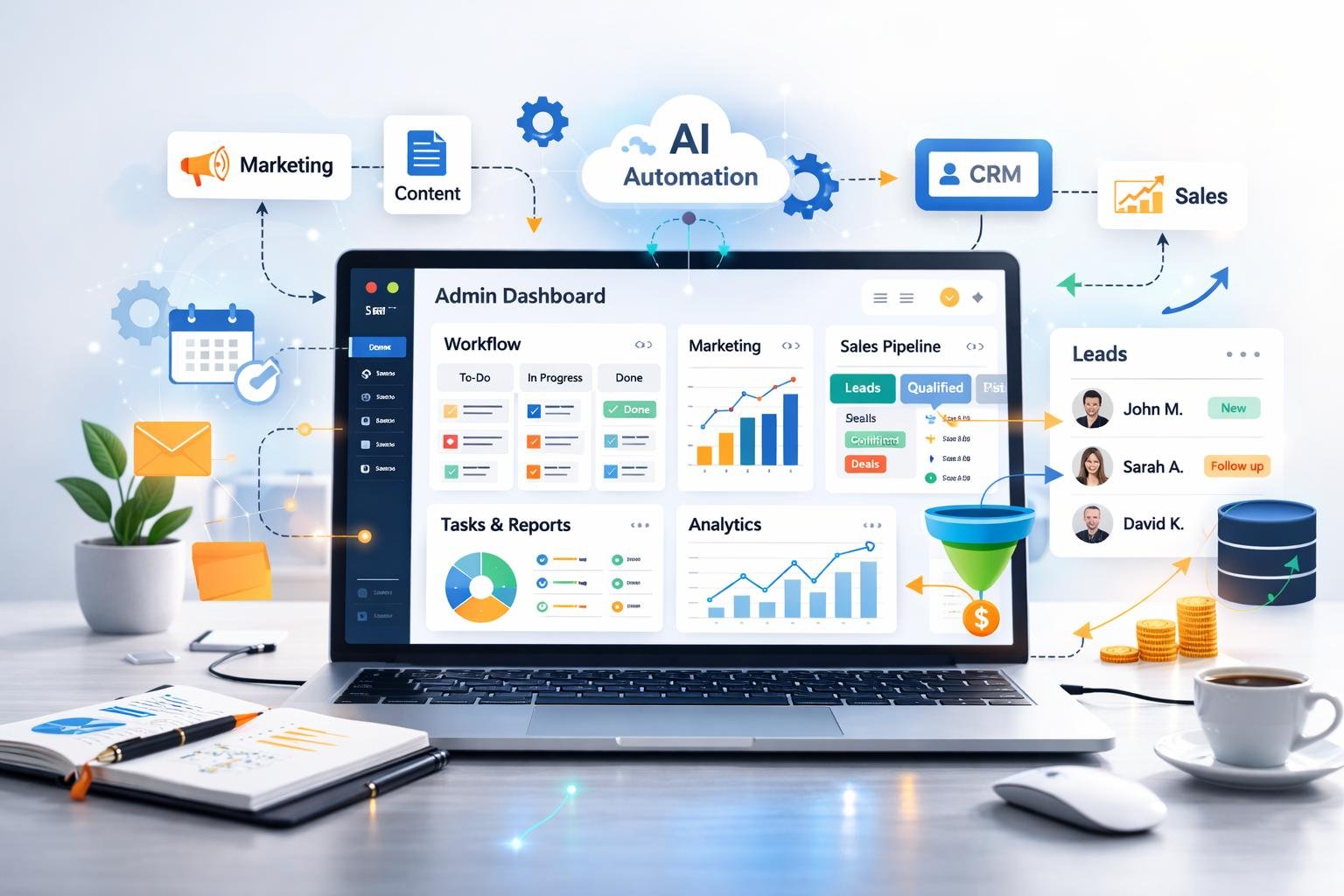
  • AI Lead Generation Automation: How to Find and Follow Up With More Customers in 2026

    AI Lead Generation Automation: How to Find and Follow Up With More Customers in 2026

    Finding potential customers is one of the biggest challenges for many businesses. Companies invest time in marketing, networking, advertising, and sales outreach, but managing incoming leads manually can slow down the entire process.

    A potential customer might submit a website form, request a quotation, or send a message asking about a service. If the business takes too long to respond or forgets to follow up, the opportunity may be lost.

    AI lead generation automation helps businesses organize incoming leads, understand customer inquiries, prioritize opportunities, and manage follow-up workflows more efficiently.

    By combining artificial intelligence, customer relationship management (CRM) software, and automation tools, businesses can build systems that reduce repetitive work and support their sales teams.

    In this guide, you will learn what AI lead generation automation is, how it works, which tools can help, and how to build a practical lead management workflow for your business or AI automation agency.

    ๐ŸŽฏ What Is AI Lead Generation Automation?

    AI lead generation automation is the use of artificial intelligence and automated workflows to capture, organize, qualify, and manage potential customers.

    A lead is a person or business that has shown some interest in a product or service. This interest might come from a website inquiry, a consultation request, a newsletter signup, or another interaction.

    Traditional lead management often requires employees to collect contact information, update spreadsheets, assign leads, and send follow-up messages manually.

    An automated system can perform many of these tasks through connected applications.

    For example, when a potential customer submits a form on a business website, an automation workflow can:

    • ๐Ÿ“ฅ Capture the submitted information.
    • ๐Ÿงน Check whether required fields are complete.
    • ๐Ÿง  Use AI to categorize the inquiry.
    • ๐Ÿ“Š Add the lead to a CRM.
    • ๐Ÿ”” Notify the relevant salesperson.
    • โœ‰๏ธ Prepare an appropriate follow-up message.

    The goal is not simply to collect more contacts. It is to help businesses manage genuine opportunities efficiently and respond to potential customers with relevant information.

    Traditional Lead Management vs. AI Lead Automation

    Traditional lead managementAI lead generation automation
    Manual data entryAutomated information capture
    Spreadsheet-based organizationConnected CRM workflows
    Manual inquiry categorizationAI-assisted classification
    Manually prepared follow-upsAutomated or AI-drafted follow-ups
    Repetitive status updatesWorkflow-based tracking and notifications

    AI does not replace every part of the sales process. Sales representatives still need to build relationships, understand customer requirements, negotiate, and make important decisions.

    ๐Ÿš€ Why Is Lead Generation Automation Important?

    Businesses can receive inquiries from several channels, including websites, social media, advertising campaigns, email, and referral networks.

    Without a consistent process, leads may become scattered across different applications and communication channels.

    1. โฑ๏ธ Reduce Delays in Lead Response

    A potential customer may contact several businesses before choosing a provider. Delayed responses can make it harder to maintain their interest.

    Automation can notify the sales team as soon as an inquiry arrives and prepare a relevant response for review.

    2. ๐Ÿ“‹ Keep Lead Information Organized

    A CRM system can store contact information, inquiry details, conversation history, and follow-up status in one place.

    Automated workflows help transfer information into the CRM without requiring employees to copy and paste every detail.

    3. ๐Ÿง  Understand Customer Intent

    AI can analyze the text of an inquiry and identify the service a customer is interested in.

    For example, a customer asking about website chatbot development could be categorized separately from someone requesting email marketing automation.

    This classification can help the sales team direct inquiries to the right person.

    4. ๐Ÿ”„ Improve Follow-Up Consistency

    Sales opportunities can be missed when employees forget to follow up or lose track of previous conversations.

    Automation can create reminders, schedule permitted messages, and update lead statuses based on defined conditions.

    5. ๐Ÿ“ˆ Improve Visibility Into the Sales Process

    When lead information is organized, businesses can monitor how inquiries move through their sales pipeline.

    Useful measurements include response times, consultation bookings, qualified leads, and conversions.

    These metrics help identify weaknesses in the process without assuming that automation alone will increase sales.

    โš™๏ธ How Does AI Lead Generation Automation Work?

    A lead automation system usually connects several stages of the sales process.

    Step 1: ๐Ÿ“ฅ Capture Incoming Leads

    The workflow begins when a person submits information through a supported channel.

    Common lead sources include:

    • Website contact forms.
    • Consultation booking forms.
    • Landing pages.
    • Advertising lead forms.
    • Business email inquiries.
    • Customer relationship management systems.

    The business should collect only information that is necessary for its stated purpose.

    Step 2: ๐Ÿงน Validate the Information

    The system checks whether the required information is present and correctly formatted.

    For example, it might verify that an email address field is not empty or that the customer has selected a service category.

    Validation reduces some common data-entry problems, although it cannot guarantee that every contact detail is genuine.

    Step 3: ๐Ÿง  Use AI to Categorize the Lead

    An AI model can interpret the customer’s message and assign a category based on defined criteria.

    Possible categories include:

    • Sales inquiry.
    • Pricing request.
    • Technical question.
    • Partnership inquiry.
    • Existing customer support request.

    The workflow can then route the inquiry to the appropriate team.

    Step 4: ๐Ÿ“Š Save the Lead in a CRM

    A CRM stores information about potential customers and tracks their progress through the sales process.

    The automation can create a new record containing the customer’s details, inquiry summary, source, category, and current status.

    Before creating a new record, the workflow can check for possible duplicates to reduce unnecessary entries.

    Step 5: ๐ŸŽฏ Qualify and Prioritize Leads

    Lead qualification helps businesses decide which inquiries require attention first.

    AI can assist by comparing information against criteria such as service requirements, project timing, budget information voluntarily provided by the customer, or business fit.

    For example, a company offering enterprise automation services may prioritize inquiries involving several business processes over requests for unrelated services.

    AI classifications should support sales decisions rather than make unsupported assumptions about a person’s financial position or intentions.

    Step 6: โœ‰๏ธ Prepare a Follow-Up

    Once the inquiry is recorded, the system can prepare a response that reflects the customer’s request.

    A simple follow-up might acknowledge the inquiry, summarize the service requested, and offer a relevant next step.

    Depending on the workflow, the message can be sent automatically under approved conditions or held for human review.

    Step 7: ๐Ÿ”” Notify the Sales Team

    The system can send an internal notification when a high-priority inquiry arrives or when a lead requires a response.

    This helps employees focus on the right conversations without constantly checking multiple applications.

    Step 8: ๐Ÿ“ˆ Track the Lead’s Progress

    The workflow can update a lead’s status when a consultation is booked, a proposal is sent, or a salesperson records a new activity.

    Businesses can then review how their leads move through the sales pipeline and identify where opportunities are being lost.

    ๐Ÿงฐ Best Tools for AI Lead Generation Automation

    The right tools depend on your existing applications, budget, technical skills, and the complexity of your workflow.

    1. n8n โ€” Flexible Workflow Automation

    n8n can connect forms, AI models, CRMs, APIs, and other business applications.

    Useful for:

    • AI-based lead classification.
    • Custom CRM integrations.
    • Multi-step lead workflows.
    • Automated notifications.
    • Data validation and transformation.

    It is worth exploring if you want to build customized workflows for clients.

    2. Make โ€” Visual Lead Workflows

    Make allows users to create visual scenarios that connect applications and route information through different steps.

    Useful for:

    • Moving form submissions into a CRM.
    • Assigning leads according to conditions.
    • Sending notifications.
    • Connecting marketing applications.
    • Automating follow-up processes.

    Its visual interface can make it easier to understand how data moves between steps.

    3. Zapier โ€” Straightforward Integrations

    Zapier connects supported applications through triggers and actions.

    Useful for:

    • Sending lead notifications.
    • Recording form submissions.
    • Updating CRM records.
    • Connecting common sales applications.
    • Automating simple follow-up tasks.

    Usage limits, supported integrations, and plan features should be checked before selecting a subscription.

    4. CRM Platforms โ€” Lead Management

    A CRM is the central place where businesses organize customer and prospect information.

    Depending on the business requirements, a CRM may provide:

    • Contact records.
    • Sales pipeline management.
    • Task reminders.
    • Communication history.
    • Reporting and analytics.
    • Integration options.

    Choose a CRM that suits the client’s existing process rather than introducing a new system without a clear reason.

    5. AI Models โ€” Classification and Personalization

    AI models can help interpret inquiries, summarize conversations, and prepare personalized draft messages.

    They should receive clear instructions and only the information required for the task.

    Do not assume that AI-generated contact information, business details, or claims about a potential customer are accurate without verification.

    ๐Ÿ› ๏ธ How to Build an AI Lead Generation Workflow Step by Step

    Here is a practical example of a lead automation system for a digital agency.

    Step 1: Define Your Lead Generation Goal

    Choose a specific problem to solve.

    For example, your objective might be to ensure that every website inquiry is recorded in a CRM and assigned to the appropriate team member.

    Avoid starting with a complicated system that attempts to automate the entire sales department.

    Step 2: Create a Lead Capture Form

    Build a form that collects the information necessary to respond to an inquiry.

    Useful fields may include:

    • Name.
    • Business email.
    • Company name, if relevant.
    • Service requested.
    • Brief project description.
    • Preferred contact method.

    Keep the form short enough that potential customers can complete it easily.

    Step 3: Connect the Form to an Automation Platform

    Connect the form to n8n, Make, Zapier, or another supported integration platform.

    Configure the workflow to start when a new submission arrives.

    The workflow should check required fields and record errors when the submitted information cannot be processed.

    Step 4: Add AI Lead Classification

    Send the customer’s inquiry to an AI model with clear instructions about the categories it should use.

    For example, the model might classify a message as:

    • Chatbot development.
    • Lead generation automation.
    • CRM integration.
    • General consultation.

    Ask the model to return a structured result that your workflow can validate.

    If the classification is uncertain, send the inquiry to a general review queue rather than forcing it into an incorrect category.

    Step 5: Connect Your CRM

    Create or update a lead record using the validated information.

    Store useful details such as the lead source, inquiry category, date received, and follow-up status.

    Configure duplicate checks where appropriate so the same customer is not unnecessarily added multiple times.

    Step 6: Create a Follow-Up Workflow

    Prepare a relevant follow-up message based on the service requested.

    For example, someone asking about chatbot development could receive a message explaining the consultation process and asking about their main customer support challenge.

    Use approved templates or human review until the workflow has been tested thoroughly.

    Automated messages should respect the customer’s communication preferences, consent, and applicable marketing rules.

    Step 7: Notify the Appropriate Person

    Send an internal notification containing the information needed for the next step.

    A useful notification might include the lead’s name, requested service, inquiry summary, and a link to the CRM record.

    Avoid including unnecessary sensitive information in notifications.

    Step 8: Test the Complete Workflow

    Test several scenarios before launching:

    1. A complete form submission.
    2. A submission with missing information.
    3. A duplicate contact.
    4. An inquiry that is difficult to classify.
    5. A CRM connection failure.
    6. A lead that requires human review.

    Confirm that the workflow handles each case as intended and does not silently discard important information.

    Step 9: Monitor Performance

    Once the workflow is running, review its results.

    Track lead capture accuracy, response time, duplicate records, failed executions, and follow-up completion.

    Use these measurements to identify which parts of the process need improvement.

    ๐Ÿ’ฌ Example: AI Lead Automation for LogicAutomates.com

    Imagine that a business owner visits LogicAutomates.com and submits this inquiry:

    โ€œI run a small online store and want to automate customer support and order-related questions.โ€

    A lead automation workflow could process the inquiry as follows.

    1. Lead captured: The website form records the visitor’s contact details and message.

    2. AI classification: The system identifies the request as customer support automation for e-commerce.

    3. CRM update: The lead is added to the CRM with the correct inquiry category.

    4. Notification: The relevant team member receives an alert.

    5. Follow-up preparation: The system prepares a response offering a consultation to understand the store’s platform, order workflow, and customer support needs.

    6. Human review: An agency representative checks the message and confirms that the proposed service is suitable before making any commitments.

    This process helps the agency manage incoming opportunities in a consistent way without treating every inquiry as identical.

    ๐Ÿ“ฌ How to Create Better AI Follow-Up Messages

    A follow-up should be relevant, clear, and connected to the customer’s original inquiry.

    Generic messages that ignore the customer’s actual needs can make communication feel impersonal.

    A Simple Follow-Up Structure

    A useful message can include:

    1. A greeting.
    2. A brief acknowledgment of the inquiry.
    3. A reference to the service requested.
    4. One useful next step.
    5. A clear way to respond.

    Example follow-up email:

    Subject: Following Up on Your Automation Inquiry

    Hi there,

    Thank you for contacting LogicAutomates about automating your customer support process.

    We would be happy to learn more about your current workflow and identify which tasks could be automated. A short consultation would help us understand your requirements and recommend an appropriate approach.

    If you are interested, please let us know a convenient time to discuss your project.

    Best regards,
    LogicAutomates Team

    This is a starting template. Personalize it using verified information from the inquiry and follow the customer’s communication preferences.

    โš ๏ธ Follow-Up Mistakes to Avoid

    • Sending repeated messages after a person has opted out.
    • Using inaccurate information to personalize a message.
    • Making unsupported promises about results.
    • Contacting people through channels they did not agree to use.
    • Sending automated messages without appropriate safeguards.
    • Treating every inquiry as a qualified sales opportunity.

    ๐Ÿ“Š How to Measure AI Lead Generation Performance

    Automation should be evaluated using measurable outcomes rather than the number of workflows created.

    Important Metrics to Track

    โฑ๏ธ Lead response time

    Measure the time between receiving an inquiry and providing the first meaningful response.

    ๐Ÿ“‹ Lead capture accuracy

    Check whether the information in your CRM matches the information submitted by customers.

    ๐ŸŽฏ Lead qualification rate

    Measure the proportion of captured leads that meet your defined qualification criteria.

    ๐Ÿ“… Consultation booking rate

    Track how many relevant inquiries result in booked consultations.

    ๐Ÿ“ˆ Conversion rate

    Measure the proportion of leads that become paying customers over a defined period.

    โš ๏ธ Workflow failure rate

    Track how frequently automations fail because of invalid data, expired credentials, API errors, or other problems.

    ๐Ÿ’ฐ Cost per lead

    Calculate relevant acquisition and processing costs divided by the number of leads captured during the same period.

    Review these metrics together. A high number of leads does not automatically mean that a business is attracting the right customers.

    ๐Ÿ’ผ How AI Automation Agencies Can Sell Lead Generation Services

    Lead generation automation can be a practical service for an AI automation agency because it addresses a recognizable business problem: inquiries need to be captured, organized, and followed up consistently.

    Potential clients include:

    • Real estate agencies.
    • Marketing agencies.
    • Consultants and professional service providers.
    • E-commerce businesses.
    • B2B service companies.
    • Other businesses that receive regular customer inquiries.

    Possible Service Packages

    ๐ŸŸข Basic Lead Capture

    • Website form integration.
    • CRM record creation.
    • Internal lead notifications.
    • Basic testing.

    ๐Ÿ”ต AI Lead Qualification

    • AI-based inquiry classification.
    • CRM categorization.
    • Conditional lead routing.
    • Follow-up draft preparation.
    • Error handling.

    ๐ŸŸฃ Advanced Sales Workflow

    • Multiple lead sources.
    • CRM pipeline integration.
    • Appointment request workflows.
    • Reporting dashboards.
    • Monitoring and ongoing maintenance.

    The exact scope should be agreed with the client before implementation. Pricing should reflect complexity, setup time, software costs, support, and maintenance.

    For LogicAutomates.com, a good portfolio project would be a working demonstration that takes a sample inquiry, classifies it, records it in a CRM, and prepares a follow-up message.

    ๐Ÿ” Privacy and Security Considerations

    Lead generation workflows often process names, contact details, and business information. These details should be handled responsibly.

    Follow these practices:

    • Collect only the information required for the stated purpose.
    • Use appropriate permissions for CRM and email integrations.
    • Protect API keys and authentication credentials.
    • Avoid sending unnecessary sensitive information to AI services.
    • Respect consent and communication preferences.
    • Configure access controls and data-retention policies.
    • Review the privacy and data-handling terms of connected services.
    • Keep records of important workflow actions and failures.

    If the workflow processes sensitive or regulated information, assess the relevant legal and security requirements before deploying it.

    โ“ Frequently Asked Questions

    1. What is AI lead generation automation?

    AI lead generation automation combines AI and automated workflows to capture, categorize, organize, and follow up with potential customers.

    2. Can AI generate leads automatically?

    AI can assist with research, classification, inquiry handling, and other lead generation tasks. The system still needs reliable data sources, appropriate permissions, and a process for verifying information.

    3. Which tool is best for lead generation automation?

    n8n, Make, and Zapier can all support lead workflows. The best choice depends on the complexity of your process, required integrations, technical skills, and budget.

    4. Do I need a CRM for lead automation?

    A CRM is useful for managing contacts, sales stages, and follow-up activities. Smaller workflows can start with a spreadsheet, but a CRM may be more suitable as the process grows.

    5. Can AI personalize sales emails?

    AI can prepare personalized drafts based on verified information from a customer’s inquiry. Businesses should review the messages and follow applicable email and marketing requirements.

    6. Is AI lead generation automation suitable for small businesses?

    Yes. Small businesses can begin with simple workflows that capture website inquiries, update a CRM, and notify the appropriate person.

    7. How can I prevent duplicate leads?

    Use unique identifiers where appropriate, check existing CRM records before creating new entries, and configure a clear process for handling possible duplicates.

    8. Can I sell lead generation automation as a service?

    Yes. An automation agency can offer lead capture, CRM integration, inquiry classification, follow-up preparation, and reporting as defined services.

    ๐ŸŽฏ Conclusion

    AI lead generation automation helps businesses organize incoming inquiries, reduce repetitive administrative work, and manage follow-ups more consistently.

    A reliable system combines accurate data capture, AI-assisted classification, CRM integration, clear communication rules, and appropriate human oversight.

    Start with a simple workflow that solves a real problem. Test it with realistic scenarios, measure its performance, and expand its capabilities only when the initial process is reliable.

    For LogicAutomates.com, lead generation automation can become a valuable service offering for businesses that want to manage customer inquiries more efficiently and build a more organized sales process.

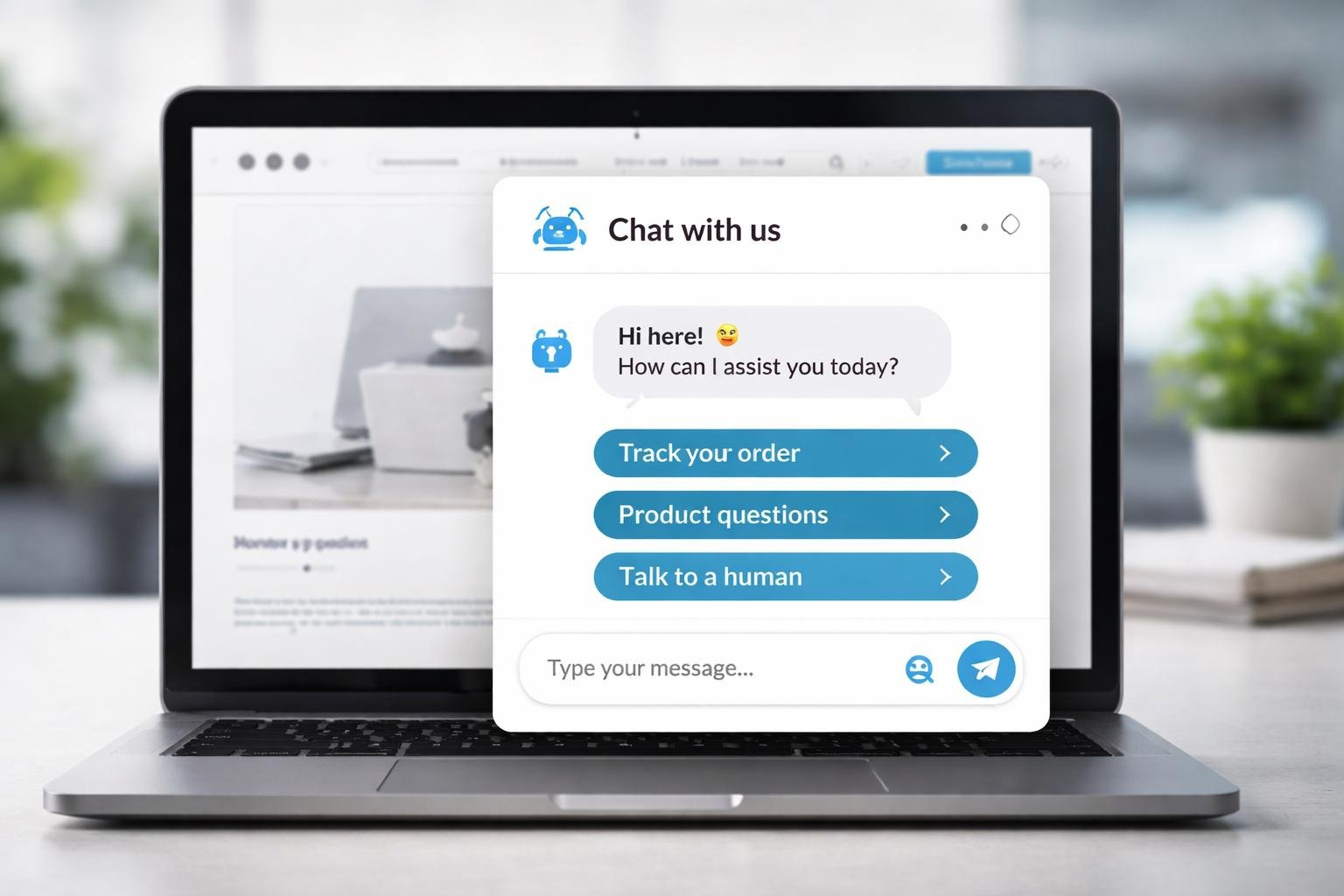
  • How to Build an AI Customer Support Chatbot for Your Business in 2026

    How to Build an AI Customer Support Chatbot for Your Business in 2026

    Customer support plays an important role in the success of any business. Customers expect quick answers, helpful information, and an easy way to resolve their problems. However, answering repetitive questions throughout the day can consume valuable time and prevent employees from focusing on more complicated tasks.

    An AI customer support chatbot can help businesses manage common questions, guide visitors through available services, and collect information before transferring a request to a human representative.

    With the help of AI models and workflow automation tools, businesses can build chatbots that understand natural language and respond using approved business information.

    In this guide, you will learn what an AI customer support chatbot is, how it works, which tools you can use, and how to build a practical chatbot workflow for your business or AI automation agency.

    ๐Ÿค– What Is an AI Customer Support Chatbot?

    An AI customer support chatbot is a software assistant that uses artificial intelligence to understand customer questions and generate relevant responses.

    Unlike a basic rule-based chatbot, which follows predefined menus and instructions, an AI chatbot can interpret different ways of asking a question and respond using the information available to it.

    For example, a customer might ask:

    • ๐Ÿ’ฌ โ€œWhat services do you offer?โ€
    • ๐Ÿ’ฌ โ€œHow much does your automation service cost?โ€
    • ๐Ÿ’ฌ โ€œCan I schedule a consultation?โ€
    • ๐Ÿ’ฌ โ€œHow can I contact your support team?โ€

    An AI chatbot can interpret these questions and provide appropriate answers when the necessary information is available.

    A chatbot can also connect to other business systems to retrieve information, create support tickets, or collect appointment requests. These actions require the appropriate integrations and permissions.

    Traditional Chatbots vs. AI Chatbots

    Traditional chatbotAI customer support chatbot
    Uses predefined rules and menusCan interpret natural-language questions
    Usually expects specific choicesCan handle different phrasings of a question
    Works well for fixed workflowsCan respond to a wider range of inquiries
    Requires predefined responsesCan generate responses from approved information
    May struggle with unexpected questionsCan recognize some unfamiliar requests, but may still make mistakes

    Both types can be useful. A traditional chatbot may be sufficient for a simple menu, while an AI chatbot can be more appropriate when customers ask questions in their own words.

    ๐Ÿš€ Why Businesses Need AI Customer Support Chatbots

    Customer support teams often handle the same questions repeatedly. A chatbot can help manage these requests while allowing employees to concentrate on issues that need personal attention.

    1. โฑ๏ธ Faster Responses

    Customers can receive answers to common questions without waiting for an employee to become available.

    A chatbot can provide information about:

    • Business hours.
    • Available services.
    • Pricing information.
    • Frequently asked questions.
    • Contact details.
    • Basic booking procedures.

    The quality of the response depends on the accuracy of the information provided to the chatbot.

    2. ๐ŸŒ™ Support Outside Business Hours

    A website chatbot can respond to supported questions even when a business’s staff are offline.

    For example, a potential customer visiting a website late at night could learn about available services and submit their contact details for a follow-up.

    However, a chatbot should not promise that a human representative is available around the clock unless the business actually provides that service.

    3. ๐Ÿ’ฐ Reduced Repetitive Work

    Employees often spend time answering questions that have already been addressed in FAQs or service documentation.

    Automating suitable requests can reduce repetitive work and allow support teams to focus on complicated problems.

    4. ๐Ÿ“ˆ Better Lead Collection

    A chatbot can ask relevant questions when a visitor expresses interest in a service.

    For example, an automation agency could ask a visitor about their business type, main challenge, and preferred consultation time.

    With the visitor’s permission, the workflow can store the information in a CRM and notify the sales team.

    5. ๐Ÿ“Š More Organized Customer Inquiries

    A chatbot can classify requests into categories such as sales, billing, technical support, or general information.

    This information can be passed to the appropriate team or used to create a support ticket.

    The result is a more organized process for managing customer requests.

    โš™๏ธ How Does an AI Customer Support Chatbot Work?

    An AI chatbot combines a user interface, an AI model, business information, and sometimes a workflow automation platform.

    Here is a typical process.

    Step 1: A Customer Sends a Message

    The customer opens the chat widget on a website and asks a question.

    For example:

    โ€œCan you help me automate customer inquiries for my business?โ€

    Step 2: The System Processes the Question

    The chatbot receives the message and sends it to the relevant AI system.

    Depending on the implementation, the system may also identify the customer’s intent, retrieve previous conversation context, or check whether the question requires a specific workflow.

    Step 3: The Chatbot Retrieves Relevant Information

    The chatbot may search a collection of approved business documents, FAQs, service descriptions, or other information sources.

    This approach helps the chatbot answer questions using the business’s actual information rather than relying entirely on general knowledge.

    Step 4: The AI Generates a Response

    The AI model uses the available information to prepare an answer.

    For example, if a visitor asks about chatbot development, the assistant can explain the services listed in the company’s approved documentation.

    If the information is missing or uncertain, the chatbot should acknowledge the limitation and offer another way to get help.

    Step 5: An Automation Workflow Performs an Action

    When necessary, the chatbot can connect to a workflow that performs an approved action.

    Examples include:

    • ๐Ÿ“‹ Creating a support ticket.
    • ๐Ÿ“ฉ Sending a notification to the support team.
    • ๐Ÿ“Š Adding an inquiry to a CRM.
    • ๐Ÿ“… Initiating an appointment request.
    • โœ‰๏ธ Preparing a follow-up email.

    These actions should be configured with appropriate validation and permissions.

    Step 6: The Chatbot Escalates Complicated Requests

    Not every question should be handled automatically.

    If a customer has a billing dispute, an account-security concern, or a complicated technical problem, the chatbot should direct the request to a human representative.

    A reliable chatbot is designed to recognize its limits rather than trying to answer every question.

    ๐Ÿงฐ Tools You Can Use to Build an AI Customer Support Chatbot

    You do not necessarily need to develop an entire chatbot from scratch. Several tools can help you create the different parts of the system.

    1. n8n โ€” Workflow Automation

    n8n can connect AI models, business applications, APIs, and databases in a single workflow.

    Useful for:

    • Processing incoming customer messages.
    • Connecting a chatbot to a CRM.
    • Routing support requests.
    • Creating notifications and tickets.
    • Building customized AI workflows.

    n8n is particularly useful when you want greater control over the automation logic.

    2. Make โ€” Visual Workflow Automation

    Make provides a visual environment for connecting applications and designing multi-step workflows.

    Useful for:

    • Sending customer information to other applications.
    • Routing inquiries to different teams.
    • Connecting forms, email, and CRM tools.
    • Creating conditional support workflows.

    Its visual structure can help beginners understand how data moves between different steps.

    3. Zapier โ€” Application Integrations

    Zapier connects supported applications through triggers and actions.

    Useful for:

    • Sending support notifications.
    • Recording customer inquiries.
    • Connecting forms to business applications.
    • Automating routine administrative tasks.

    Its suitability depends on the complexity, integrations, and usage requirements of your chatbot workflow.

    4. AI Models and APIs

    An AI model provides the language-understanding and response-generation capabilities of the chatbot.

    An API allows your chatbot or workflow platform to communicate with the model.

    When choosing a provider, review its current pricing, privacy terms, model capabilities, and integration requirements.

    5. Website Chat Interface

    Customers need a way to communicate with the chatbot.

    This may be a chat widget embedded on your website or an interface provided by a chatbot platform.

    The interface should make it easy to send messages, understand the response, and request human assistance.

    Important: These components serve different purposes. An AI model generates responses, an automation platform connects systems, and the chat interface allows customers to interact with the assistant.

    ๐Ÿ› ๏ธ How to Build an AI Customer Support Chatbot Step by Step

    The following example uses a website chatbot connected to an AI model and an automation workflow.

    The exact implementation will depend on the tools you select.

    Step 1: ๐ŸŽฏ Define the Chatbot’s Purpose

    Before choosing tools, decide what the chatbot should accomplish.

    A good first project should have a limited and clearly defined scope.

    For example, your chatbot might:

    • Answer common questions about services.
    • Explain business hours and contact options.
    • Collect details from potential customers.
    • Direct complicated inquiries to a human.
    • Create a support ticket when needed.

    Avoid trying to automate every customer interaction in the first version.

    Step 2: ๐Ÿ“š Prepare Your Business Information

    The chatbot needs accurate information to answer customer questions.

    Create a document containing your approved business information.

    Include:

    • Company introduction.
    • Service descriptions.
    • Pricing information, if available.
    • Frequently asked questions.
    • Business hours.
    • Contact information.
    • Support and escalation procedures.

    Keep this information updated whenever your services or policies change.

    If you are building a chatbot for a client, obtain approval before using their business documents.

    Step 3: ๐Ÿง  Choose an AI Model

    Select an AI model that meets your requirements for response quality, speed, cost, and privacy.

    Your chatbot should receive clear instructions about how it is allowed to answer questions.

    For example, its instructions could require it to:

    • Answer using approved business information.
    • Avoid inventing prices or policies.
    • Ask a clarifying question when necessary.
    • Keep responses concise and helpful.
    • Refer uncertain requests to a human.
    • Avoid exposing confidential information.

    These instructions improve consistency but do not guarantee that the model will always behave correctly. Testing and safeguards are still necessary.

    Step 4: ๐Ÿ”— Connect the AI Model to an Automation Platform

    Use a supported integration or API connection to pass customer messages to the AI model.

    A typical workflow might contain the following components:

    1. Incoming message: Receive the customer’s question.
    2. Input validation: Check that the message contains usable information.
    3. Knowledge retrieval: Find relevant business information.
    4. AI processing: Generate an appropriate response.
    5. Response checks: Apply required validation or escalation rules.
    6. Chat reply: Return the response to the website interface.

    Additional steps may be required for authentication, conversation history, rate limits, and error handling.

    Step 5: ๐ŸŒ Connect the Chatbot to Your Website

    Add the chatbot interface to your website using a supported widget, plugin, or custom integration.

    The interface should be easy to find without blocking important page content.

    Consider including:

    • A clear welcome message.
    • A simple message input.
    • Suggested questions.
    • A visible human-support option.
    • A notice explaining that the visitor is interacting with AI.

    Test the interface on mobile devices as well as desktop screens.

    Step 6: ๐Ÿ“‹ Add CRM and Support Integrations

    If the chatbot needs to collect leads or manage support requests, connect it to the relevant business applications.

    For example, a lead-collection workflow could record:

    • Customer name.
    • Contact information.
    • Business type.
    • Requested service.
    • Summary of the inquiry.
    • Follow-up status.

    Collect only the information needed for the stated purpose, and follow applicable privacy and consent requirements.

    Step 7: ๐Ÿงช Test the Chatbot Before Launch

    Testing is essential because a chatbot can produce incorrect answers even when its basic workflow is functioning.

    Test questions such as:

    • What services do you offer?
    • How much does your service cost?
    • Can I speak to a human?
    • What happens if my request is urgent?
    • What if I ask something unrelated?
    • What if your website information does not answer my question?

    Also test empty messages, unusual inputs, integration failures, and repeated submissions.

    Check whether the chatbot provides accurate answers, protects private information, and escalates requests appropriately.

    Step 8: ๐Ÿš€ Launch and Monitor Performance

    Start with a limited deployment and review real interactions.

    Track useful measurements such as:

    • Number of conversations.
    • Percentage of questions resolved.
    • Human escalation rate.
    • Response time.
    • Customer feedback.
    • AI and automation costs.
    • Incorrect or incomplete responses.

    Use these results to improve the chatbot’s instructions, knowledge sources, and workflow logic.

    ๐Ÿ’ฌ Example: An AI Chatbot for an Automation Agency

    Imagine that LogicAutomates.com offers AI chatbots and business workflow automation services.

    A visitor arrives on the website and opens the chatbot.

    Customer: โ€œI want to automate customer support for my online store. Can you help?โ€

    AI chatbot: โ€œWe can help you explore customer support automation, including FAQ assistants and workflows that connect customer inquiries with your business tools. Could you tell me which platform your store uses?โ€

    Customer: โ€œI use Shopify.โ€

    AI chatbot: โ€œThank you. A possible solution could connect customer inquiries with your order information and support workflow. The exact setup would depend on your requirements. Would you like to request a consultation?โ€

    If the customer agrees, the workflow can collect the necessary contact details, record the inquiry, and notify the agency’s team.

    This example demonstrates how a chatbot can combine conversation with a practical business workflow.

    The chatbot should not claim that an integration is available or promise a particular result until the agency has confirmed that it can deliver the requested solution.

    ๐Ÿ“ˆ Best Practices for Building a Reliable AI Chatbot

    A chatbot should be designed around customer needs, business rules, and realistic expectations.

    1. Keep the Knowledge Base Accurate

    Outdated information can lead to incorrect answers.

    Review your FAQs, service descriptions, and policies regularly. Remove information that is no longer valid.

    2. Give the Chatbot a Clear Scope

    Specify which questions it can answer and which requests require human support.

    A limited chatbot with reliable answers is more useful than one that attempts to handle every possible topic.

    3. Protect Customer Information

    Use appropriate authentication, access controls, and data-retention policies.

    Avoid sending sensitive information to external services unless the tools and configuration are suitable for that information.

    4. Make Human Support Easy to Access

    Customers should be able to request human assistance without navigating an endless automated conversation.

    Provide a clear escalation process and explain when a representative will respond.

    5. Monitor AI Quality and Costs

    Review conversations for incorrect answers, unnecessary AI calls, and repeated failures.

    Set appropriate usage limits and alerts to help manage costs.

    6. Improve the Chatbot Based on Feedback

    Use customer feedback and conversation patterns to identify missing FAQs and confusing responses.

    Make changes carefully and test them before deploying updates.

    ๐Ÿ’ฐ How Can an AI Automation Agency Sell Chatbot Services?

    AI chatbots can become one of the services offered by an automation agency.

    Instead of selling only a chatbot interface, focus on the business problem you can solve.

    Possible Service Packages

    ๐ŸŸข Basic FAQ Chatbot

    • Answers approved frequently asked questions.
    • Explains basic services and contact options.
    • Provides a route to human support.

    ๐Ÿ”ต Customer Support Automation

    • Connects the chatbot to selected business tools.
    • Categorizes incoming inquiries.
    • Creates support tickets or notifications.
    • Includes basic monitoring and testing.

    ๐ŸŸฃ Advanced Support Workflow

    • Integrates with approved knowledge sources.
    • Connects to CRM or order-management systems.
    • Routes different types of requests.
    • Includes more extensive testing, permissions, and error handling.

    Pricing should reflect the actual scope, complexity, integrations, AI usage, maintenance, and support requirements. Avoid promising results that have not been demonstrated.

    For an early project, build a working demo with sample business information. This allows potential clients to understand the service before committing to a full implementation.

    โš ๏ธ Common Mistakes to Avoid

    • โŒ Launching without testing: Incorrect answers can damage customer trust.
    • โŒ Using outdated information: The chatbot may communicate old prices or policies.
    • โŒ Removing human support: Some questions need personal attention.
    • โŒ Giving excessive permissions: Limit integrations to the actions the chatbot actually needs.
    • โŒ Ignoring ongoing costs: AI usage, hosting, and maintenance can add up.
    • โŒ Promising complete automation: Some conversations will always need human judgment.

    โ“ Frequently Asked Questions

    1. Can I build an AI customer support chatbot without coding?

    Yes. Some chatbot builders and visual automation platforms support no-code or low-code implementations. Advanced integrations may still require API knowledge or custom code.

    2. Which tool is best for building an AI chatbot?

    The best tool depends on your requirements. n8n is worth exploring for customized workflows, Make offers visual automation, and Zapier is useful for many straightforward integrations. Dedicated chatbot platforms may also suit particular projects.

    3. Can an AI chatbot work 24/7?

    A properly hosted chatbot can accept and respond to supported questions at any time, subject to service availability, configured limits, and integration reliability. Human assistance may have separate operating hours.

    4. Can an AI chatbot connect to a CRM?

    Yes, if the chatbot platform or workflow supports the required CRM integration or API. Appropriate permissions and data validation should be configured.

    5. How much does it cost to build an AI chatbot?

    Costs depend on the chatbot platform, AI model, number of conversations, integrations, hosting, setup, and maintenance. Start by defining the requirements and estimating ongoing usage before selecting a solution.

    6. Can an AI chatbot replace a human support team?

    It can handle some repetitive questions, but complex complaints, sensitive issues, and unusual situations may require human judgment. Most businesses should provide an effective escalation process.

    7. How do I prevent a chatbot from making up answers?

    Use approved information sources, clear instructions, appropriate retrieval methods, validation rules, and human escalation. These measures reduce the risk but cannot guarantee that every answer will be correct.

    8. Can I sell AI chatbots to small businesses?

    Yes. Small businesses may benefit from automated FAQs, lead collection, and support workflows. Demonstrate a practical solution and explain its limitations, operating costs, and maintenance needs.

    ๐ŸŽฏ Conclusion

    An AI customer support chatbot can help businesses answer common questions, organize inquiries, and reduce repetitive customer service work.

    Building a reliable chatbot involves more than connecting an AI model to a website. You also need accurate business information, suitable integrations, clear instructions, privacy safeguards, testing, and human escalation.

    Start with a focused use case, such as answering FAQs or collecting leads. Test it thoroughly, monitor its performance, and expand its capabilities as your requirements grow.

    For LogicAutomates.com, AI customer support chatbots can become a practical service offering that helps businesses connect AI capabilities with real operational needs.

  • Best AI Automation Tools in 2026: n8n vs Make vs Zapier

    Best AI Automation Tools in 2026: n8n vs Make vs Zapier

    AI automation is helping businesses simplify repetitive tasks, connect applications, and improve productivity. From managing customer inquiries to organizing sales leads, modern automation tools allow businesses to build workflows without manually handling every step.

    However, choosing the right automation platform can be challenging. Some tools are designed for beginners who want simple integrations, while others provide greater flexibility for developers and businesses building advanced AI workflows.

    Three platforms worth exploring are n8n, Make, and Zapier. Each offers a different approach to workflow automation, integrations, and AI-powered processes.

    In this guide, we compare their features, advantages, limitations, use cases, and suitability for different business needs. You will also learn how to choose the right tool for your AI automation agency.

    ๐Ÿค– What Are AI Automation Tools?

    AI automation tools help businesses connect software applications, process information, and execute tasks through automated workflows.

    These platforms can combine traditional automation with AI models that classify messages, summarize documents, extract information, or generate content.

    For example, a business might create a workflow that:

    1. ๐Ÿ“ฅ Receives a customer inquiry through a website form.
    2. ๐Ÿง  Uses AI to classify the inquiry.
    3. ๐Ÿ“Š Stores the customer’s details in a CRM.
    4. โœ‰๏ธ Prepares a relevant follow-up message.
    5. ๐Ÿ”” Notifies the appropriate team member.

    Without automation, an employee might need to perform each step manually. With a properly configured workflow, much of the process can happen automatically.

    AI automation platforms are useful for:

    • Customer support and chatbot workflows.
    • Lead generation and CRM management.
    • Email and marketing automation.
    • Appointment scheduling.
    • Document processing.
    • Business reporting.
    • E-commerce operations.
    • Connecting AI models to business applications.

    The right platform depends on your technical skills, budget, workflow complexity, and the applications you need to connect.

    โš™๏ธ 1. What Is n8n?

    n8n is a workflow automation platform that allows users to connect applications, APIs, databases, and AI services through visual workflows.

    It is particularly interesting for users who want flexibility and more control over how their automations operate.

    Users build workflows by connecting nodes. Each node performs a task, such as receiving information, transforming data, calling an API, or sending a notification.

    โญ Key Features of n8n

    • ๐Ÿ”— Visual workflow builder: Connect multiple steps into a single workflow.
    • ๐Ÿง  AI integrations: Build workflows that use AI models for tasks such as classification and summarization.
    • ๐Ÿ”Œ API connectivity: Connect services through HTTP requests and APIs.
    • ๐Ÿงฉ Conditional logic: Route information according to rules and workflow conditions.
    • ๐Ÿ’ป Custom code: Use code when built-in nodes are insufficient.
    • ๐Ÿ  Self-hosting options: Run n8n on infrastructure you manage, subject to its licensing and deployment terms.
    • ๐Ÿ”„ Workflow control: Design multi-step processes with error handling and branching.

    Feature availability and implementation details can depend on the deployment method, version, and plan.

    โœ… Advantages of n8n

    1. Greater workflow flexibility

    n8n is useful when an automation needs several conditions, API calls, data transformations, or custom processing steps.

    2. Suitable for advanced AI workflows

    You can connect AI models with databases, business applications, and external services to build more sophisticated processes.

    3. Self-hosting flexibility

    Self-hosting can provide more control over infrastructure and data handling, although it also introduces responsibility for security, updates, backups, and maintenance.

    4. Useful for automation agencies

    Agencies can use n8n to create tailored workflows for different clients, particularly when projects require custom integrations.

    โš ๏ธ Limitations of n8n

    • The learning curve can be steeper for complete beginners.
    • Complex workflows require testing and troubleshooting.
    • Self-hosting requires technical knowledge and ongoing maintenance.
    • Some integrations may require API configuration or custom code.
    • AI features do not automatically guarantee accurate results.

    ๐Ÿ’ผ Best Use Cases for n8n

    n8n is worth considering for:

    • AI-powered lead qualification.
    • Multi-step CRM workflows.
    • Custom chatbot integrations.
    • Document processing pipelines.
    • Automated business reporting.
    • Workflows involving several APIs.
    • Projects that require greater infrastructure control.

    Example: An automation agency builds a system that receives leads from a website, classifies their requirements with AI, creates CRM records, and alerts the sales team.

    n8n is a strong candidate when flexibility and customization are more important than having the simplest possible setup.

    ๐Ÿ”„ 2. What Is Make?

    Make is a visual automation platform that allows users to connect applications and design workflows through a graphical interface.

    Its scenario builder lets users connect modules, map information between steps, add filters, and create branching paths.

    This visual approach makes it useful for people who want to understand how information moves through an automation.

    โญ Key Features of Make

    • ๐ŸŽจ Visual scenario builder: Design workflows by connecting modules.
    • ๐Ÿ”— Application integrations: Connect supported business tools and services.
    • ๐Ÿ”€ Routers and filters: Direct information through different paths.
    • ๐Ÿ“Š Data transformation: Format and organize information between steps.
    • ๐ŸŒ API connectivity: Integrate services when supported modules are unavailable.
    • ๐Ÿง  AI-powered workflows: Connect AI services to appropriate automation scenarios.
    • ๐Ÿงช Workflow testing: Run scenarios and inspect how information moves through them.

    Specific integrations and capabilities vary by application and subscription plan.

    โœ… Advantages of Make

    1. Visual workflow design

    The graphical interface makes it easier to follow the structure of a workflow and understand how each step connects to another.

    2. Flexible branching

    A scenario can follow different paths depending on the information received.

    For example, a customer support workflow can send billing questions to one team and technical questions to another.

    3. Useful for business processes

    Make can connect marketing tools, CRMs, spreadsheets, forms, and other business applications.

    4. Suitable for multi-step automations

    You can create scenarios involving multiple applications and data-processing steps without writing all the integration code yourself.

    โš ๏ธ Limitations of Make

    • Complex scenarios can become difficult to maintain if they are poorly organized.
    • Users need to understand data mapping and workflow logic.
    • API integrations may require additional configuration.
    • Usage limits and plan restrictions must be considered.
    • Advanced workflows can still require technical troubleshooting.

    ๐Ÿ’ผ Best Use Cases for Make

    Make is worth exploring for:

    • Marketing campaign workflows.
    • CRM updates and lead routing.
    • E-commerce notifications.
    • Form-to-spreadsheet automation.
    • Appointment management.
    • Multi-application business processes.
    • Visual workflows with multiple conditions.

    Example: A marketing agency collects website leads, checks their service requirements, adds them to a CRM, and sends an internal notification to the relevant salesperson.

    Make is a practical option for users who prefer visual workflow design and need more flexibility than a simple trigger-and-action setup.

    โšก 3. What Is Zapier?

    Zapier is an automation platform that connects applications through triggers and actions. It is widely associated with straightforward business integrations and workflows that can be configured with relatively little technical setup.

    A basic Zap begins when a trigger occurs and then performs one or more configured actions.

    For example, a new form submission can automatically create a CRM record and send a notification.

    โญ Key Features of Zapier

    • ๐Ÿš€ Trigger-and-action workflows: Start an automation when a defined event occurs.
    • ๐Ÿ”— Application integrations: Connect supported applications without building every integration from scratch.
    • ๐Ÿง  AI-related capabilities: Use available AI features and connected services where supported.
    • ๐Ÿ“‹ Multi-step workflows: Perform several actions after a trigger.
    • ๐Ÿ”€ Conditional paths: Route tasks according to supported rules and features.
    • ๐Ÿ› ๏ธ Business integrations: Connect tools used for sales, marketing, support, and administration.

    Available functionality depends on the product, integration, and subscription plan.

    โœ… Advantages of Zapier

    1. Beginner-friendly approach

    Its trigger-and-action model is straightforward for many common workflows.

    2. Useful for routine integrations

    Zapier can connect applications without requiring users to build every integration manually.

    3. Quick setup for simple tasks

    Common workflows, such as sending notifications or copying form responses into another application, can often be configured with limited technical work.

    4. Suitable for everyday business automation

    Teams can use it to reduce repetitive administrative tasks and connect commonly used business tools.

    โš ๏ธ Limitations of Zapier

    • Complex custom workflows may require more planning and configuration.
    • Usage limits and subscription costs can become important as automation volume grows.
    • Advanced integrations may require API knowledge.
    • Not every application or feature is available on every plan.
    • AI-generated outputs still need suitable validation and safeguards.

    ๐Ÿ’ผ Best Use Cases for Zapier

    Zapier is worth considering for:

    • Form submission notifications.
    • Simple CRM updates.
    • Email and calendar integrations.
    • Basic lead management.
    • Routine administrative tasks.
    • Connecting common business applications.

    Example: Every time someone completes a contact form, Zapier adds the contact to a spreadsheet and notifies the sales team.

    Zapier is particularly useful when the goal is to connect applications quickly and the workflow does not require extensive customization.

    ๐Ÿ“Š n8n vs Make vs Zapier: Comparison Table

    The three platforms overlap in many areas, but their strengths and trade-offs differ.

    Featuren8nMakeZapier
    Workflow designNode-based visual editorVisual scenario builderTrigger-and-action workflows
    Beginner friendlinessModerate learning curveModerate learning curveOften easier for simple workflows
    CustomizationHigh flexibilityFlexible visual logicStrong for supported integrations
    AI workflowsSupports custom AI integrationsSupports AI-connected scenariosSupports AI-related workflows and integrations
    API integrationStrong customization optionsAPI connectivity availableSupported integrations and API options
    Self-hostingAvailableGenerally cloud-based offeringGenerally cloud-based offering
    Technical skillsHelpful for advanced projectsHelpful for complex scenariosOften less necessary for basic tasks
    Best fitCustom and advanced workflowsVisual multi-step automationStraightforward application integrations

    This table is a general comparison rather than a guarantee that every feature is available in every plan.

    ๐Ÿ† Which Platform Offers the Most Flexibility?

    n8n is a strong candidate when you need custom logic, API connections, and greater control over how workflows operate.

    Make is attractive when you prefer a visual scenario builder with flexible branching and data mapping.

    Zapier is often convenient when you want to connect common applications and automate straightforward tasks quickly.

    The most flexible platform is not automatically the best choice. A simpler tool can be more appropriate when it meets the requirements with less setup and maintenance.

    ๐Ÿ’ฐ Which AI Automation Tool Is Cheapest?

    Pricing changes over time, and the cost of an automation depends on how you use the platform.

    Rather than choosing based only on the advertised starting price, compare the total cost of running your intended workflows.

    Factors That Affect Automation Costs

    • ๐Ÿ’ณ Subscription fees: The cost of your selected plan.
    • ๐Ÿ”„ Usage limits: Tasks, executions, operations, or other metered activity.
    • ๐Ÿง  AI usage: Charges associated with AI models or external services.
    • โ˜๏ธ Hosting: Infrastructure costs for self-hosted deployments.
    • ๐Ÿ› ๏ธ Maintenance: Time spent monitoring and fixing workflows.
    • ๐Ÿ“ˆ Scaling: Additional usage or capacity as the business grows.

    How to Compare Costs Properly

    Before selecting a platform:

    1. Estimate how many workflow runs you expect each month.
    2. Identify how many steps each run requires.
    3. Check the platform’s current billing model and usage limits.
    4. Estimate AI model usage separately where applicable.
    5. Include hosting and maintenance costs if self-hosting.
    6. Test a realistic workflow before committing to a paid plan.

    A platform that looks inexpensive at first may become less economical at higher volumes. Conversely, a more technical solution may provide value if its flexibility reduces other operating costs.

    Always check the providers’ official pricing pages for current prices and plan conditions.

    ๐ŸŽฏ Which Tool Is Best for an AI Automation Agency?

    If you want to build an AI automation agency, the best platform depends on the services you plan to sell and the kinds of clients you want to serve.

    Choose n8n If You Want to:

    • Build customized AI-powered workflows.
    • Connect several APIs and business applications.
    • Develop complex lead-management systems.
    • Explore self-hosted automation.
    • Offer technically advanced integrations.

    Choose Make If You Want to:

    • Build visual, multi-step workflows.
    • Connect marketing and CRM applications.
    • Design conditional business processes.
    • Demonstrate workflows visually to clients.
    • Automate operations without writing every integration from scratch.

    Choose Zapier If You Want to:

    • Deliver straightforward application integrations.
    • Automate routine administrative tasks.
    • Set up common business workflows quickly.
    • Connect tools that clients already use.
    • Focus on simpler projects with limited customization.

    ๐Ÿ’ก My Recommendation for LogicAutomates.com

    Start by learning one platform deeply instead of trying to master all three simultaneously.

    If your goal is to build a specialized AI automation agency and offer custom workflows, n8n is worth prioritizing. If you prefer a highly visual approach, Make is another good starting point. Zapier is useful for understanding basic integrations and common business automation patterns.

    Your first objective should be to build reliable, demonstrable solutionsโ€”not to collect experience with as many tools as possible.

    ๐Ÿ› ๏ธ 5 Practical AI Automation Workflows to Build

    These projects can help beginners develop practical skills and create portfolio demonstrations.

    1. Lead Capture and CRM Automation

    Workflow:

    1. A visitor submits a website form.
    2. The system validates the contact details.
    3. AI categorizes the inquiry if needed.
    4. The lead is recorded in a CRM.
    5. The appropriate team member receives a notification.

    Skills learned: Form integrations, data mapping, conditional logic, and CRM connectivity.

    2. AI Email Classification

    Workflow:

    1. A new email arrives.
    2. AI classifies the message.
    3. The workflow identifies its category.
    4. The email is labeled or routed accordingly.
    5. Uncertain cases are sent for human review.

    Skills learned: AI classification, email integrations, routing, and error handling.

    3. Appointment Request Management

    Workflow:

    1. A customer submits an appointment request.
    2. The workflow checks required details.
    3. Calendar availability is verified.
    4. The booking is created only when the conditions are satisfied.
    5. A confirmation or follow-up request is sent.

    Skills learned: Calendar integrations, validation, and conditional workflows.

    4. AI Customer Support Assistant

    Workflow:

    1. A customer submits a question.
    2. The system retrieves approved business information.
    3. AI prepares an answer based on that information.
    4. The response is checked against defined rules.
    5. Difficult questions are escalated to a human.

    Skills learned: Knowledge retrieval, AI integration, response validation, and escalation.

    5. Automated Weekly Business Report

    Workflow:

    1. A scheduled trigger starts the workflow.
    2. The system collects data from connected sources.
    3. Reliable calculations summarize the results.
    4. AI prepares a plain-language explanation.
    5. The report is delivered to authorized recipients.

    Skills learned: Scheduled workflows, data processing, AI summarization, and reporting.

    Build these projects using test data first. Avoid connecting a demonstration to real customer information until security, permissions, and error handling have been properly configured.

    โš ๏ธ Common Mistakes When Choosing Automation Tools

    Beginners sometimes focus on software features before identifying the actual business problem.

    Avoid these mistakes:

    • โŒ Learning too many platforms at once: Pick one and build several complete workflows.
    • โŒ Ignoring maintenance: Every production workflow needs monitoring and troubleshooting.
    • โŒ Choosing based only on price: Consider usage limits, hosting, AI costs, and the time required to maintain it.
    • โŒ Overcomplicating simple tasks: Use traditional automation when AI is unnecessary.
    • โŒ Ignoring security: Limit permissions and protect customer information.
    • โŒ Selling before testing: Demonstrate that your workflows work reliably under realistic conditions.

    โ“ Frequently Asked Questions

    1. Is n8n better than Make and Zapier?

    Not for every use case. n8n is attractive for custom workflows and technical flexibility, Make offers visual multi-step scenarios, and Zapier is convenient for many straightforward integrations.

    2. Can beginners learn n8n?

    Yes. Beginners can start with simple triggers, actions, and integrations. Learning APIs, data structures, authentication, and troubleshooting will help with more advanced projects.

    3. Is Make a no-code automation tool?

    Make provides a visual workflow builder that supports many no-code use cases. Advanced scenarios may still require technical knowledge or API configuration.

    4. Can Zapier be used for AI automation?

    Yes. Zapier can connect applications and available AI-related services to build workflows that automate business tasks. Exact capabilities depend on the integrations and plans used.

    5. Do I need coding skills to start an AI automation agency?

    No. Many useful workflows can be built with visual automation platforms. Coding and API knowledge can expand the types of projects you are able to deliver.

    6. Can I use multiple automation platforms?

    Yes. Businesses sometimes use different platforms for different workflows. However, each additional platform introduces its own costs, permissions, monitoring, and maintenance requirements.

    7. How long does it take to learn an automation platform?

    Simple workflows may be learned relatively quickly, while advanced integrations require more practice. Your progress depends on the complexity of the projects and the time you dedicate to learning.

    8. Which tool should I learn first for my automation agency?

    For custom AI workflows, start by exploring n8n. If you prefer visual scenario design, consider Make. Choose based on the services you intend to deliver rather than assuming one platform is best for everyone.

    ๐Ÿš€ Conclusion

    n8n, Make, and Zapier are useful automation platforms, but each serves different needs.

    • n8n: A strong option for custom workflows, API integrations, and greater technical flexibility.
    • Make: A useful choice for visual, multi-step scenarios and flexible business processes.
    • Zapier: A convenient option for connecting applications and automating straightforward tasks.

    For LogicAutomates.com, focus on learning one platform, building practical demonstrations, and solving real business problems. Once you understand workflow design, data handling, integrations, and error management, you can expand into other platforms as client requirements demand.

    The goal is not simply to use AI automation tools. It is to build reliable systems that help businesses save time, improve processes, and operate more efficiently.

  • What Is AI Automation? A Complete Beginnerโ€™s Guide for Businesses in 2026

    What Is AI Automation? A Complete Beginnerโ€™s Guide for Businesses in 2026

    Artificial intelligence is changing how businesses manage their daily operations. Tasks that once required hours of manual work can now be completed faster with AI-powered tools and automated workflows.

    From answering customer questions to managing sales leads, organizing emails, and generating reports, AI automation helps businesses simplify repetitive processes and improve productivity.

    But what is AI automation, how does it work, and how can a business start using it?

    In this beginner-friendly guide, you will learn the fundamentals of AI automation, explore real-world examples, discover popular tools, and understand how to implement automation in a practical way.

    ๐Ÿค– What Is AI Automation?

    AI automation is the use of artificial intelligence and automated software workflows to complete tasks that would otherwise require human effort.

    It combines AI capabilities with connected applications, business rules, and triggers. This allows a system to process information, perform specific actions, and move data between different tools with less manual involvement.

    For example, when a potential customer submits a form on your website, an AI automation workflow could:

    • ๐Ÿ“ฉ Receive the customer’s inquiry.
    • ๐Ÿง  Analyze the message and identify the customer’s needs.
    • ๐Ÿ“‹ Save the contact details in a CRM.
    • โœ‰๏ธ Prepare a personalized follow-up email.
    • ๐Ÿ”” Notify the appropriate sales representative.

    Instead of manually completing every step, a business can use an automated workflow to coordinate the process.

    Traditional Automation vs. AI Automation

    Traditional automation follows predefined instructions. AI automation adds capabilities such as language understanding, classification, summarization, and content generation.

    Traditional automationAI automation
    Follows predefined rulesCan interpret information using AI
    Works well with predictable inputsCan handle some variations in input
    Performs fixed actionsCan classify, summarize, or generate content
    Usually produces rule-based resultsMay produce variable results that need checking
    Ideal for straightforward repetitive tasksUseful for tasks involving unstructured information

    Example: Traditional automation can send the same confirmation email whenever someone completes a form. AI automation can analyze the form response and prepare a message that reflects the customer’s specific requirements.

    Neither approach is always better. Simple tasks often work best with traditional automation, while tasks involving language or complex information may benefit from AI.

    โš™๏ธ How Does AI Automation Work?

    An AI automation workflow usually combines a trigger, information processing, and one or more actions.

    Here is a simplified example of an automated customer inquiry system.

    1. ๐Ÿ“ฅ A Trigger Starts the Workflow

    A trigger is an event that tells the system to begin.

    Common triggers include:

    • A customer submits a website form.
    • A new email arrives.
    • Someone books an appointment.
    • An online order is placed.
    • A new record appears in a CRM.
    • A scheduled reporting time arrives.

    For example, a website contact form can automatically trigger a workflow whenever a visitor requests information about your services.

    2. ๐Ÿ“Š The System Collects Information

    The workflow gathers the information needed to complete the task.

    This may include a customer’s name, email address, message, purchase history, appointment preferences, or existing CRM records.

    Information can be collected from connected applications, spreadsheets, websites, databases, and APIs.

    3. ๐Ÿง  AI Processes the Information

    An AI model performs the part of the task that requires interpretation or content generation.

    Depending on the workflow, it can:

    • Identify the subject of a message.
    • Categorize customer inquiries.
    • Extract details from documents.
    • Summarize lengthy emails.
    • Draft customer responses.
    • Recommend the next step according to defined criteria.

    AI outputs are not guaranteed to be correct. Important information should be validated before the system takes consequential actions.

    4. ๐Ÿ”— The Workflow Connects Different Tools

    Automation platforms connect applications so information can move between them.

    For example, an AI workflow might connect:

    • A website form to a CRM.
    • An AI model to an email application.
    • A calendar to an appointment system.
    • A spreadsheet to a reporting dashboard.

    These integrations reduce the need to copy information manually between different platforms.

    5. โœ… The System Performs an Action

    Once the required information has been processed, the workflow performs an action.

    Examples include creating a CRM record, sending a notification, preparing an email draft, updating a spreadsheet, or scheduling a follow-up task.

    Some actions can be completed automatically. Sensitive actions should include appropriate approval steps.

    6. ๐Ÿ” The Workflow Checks for Errors

    Reliable automation should record successful actions and detect failures.

    If a connection breaks or required information is missing, the system should flag the problem rather than silently losing data.

    Monitoring, error notifications, and human review help keep business workflows dependable.

    ๐Ÿ’ผ 7 Real-World Examples of AI Automation

    AI automation can be applied across many industries. The best opportunities usually involve recurring tasks that consume time or require information to move between applications.

    1. ๐Ÿ’ฌ AI Customer Support

    Businesses often receive repetitive questions about pricing, delivery, services, account access, and operating hours.

    An AI support assistant can answer approved FAQs, collect relevant details, and direct complicated requests to a human representative.

    Example: A digital agency uses a chatbot to answer basic service questions and collect contact information from prospective clients.

    Potential benefits:

    • Faster responses to common questions.
    • Support outside normal working hours.
    • More consistent information.
    • Less repetitive work for support staff.

    2. ๐ŸŽฏ Lead Generation and Follow-Up

    Sales teams need to capture inquiries, organize contact details, and follow up with potential customers.

    AI automation can help classify incoming leads, record their requirements, and prepare relevant follow-up messages.

    Example: When a visitor requests a quotation, a workflow records the inquiry in the CRM and notifies the sales team.

    Potential benefits:

    • Better lead organization.
    • Fewer missed inquiries.
    • More consistent follow-up.
    • Less manual data entry.

    Businesses should follow applicable privacy rules and communication requirements when contacting potential customers.

    3. ๐Ÿ“ง Email Management

    Managing a busy inbox can consume a significant amount of time.

    AI can classify incoming emails, summarize long conversations, identify urgent requests, and prepare suggested replies.

    Example: A workflow separates sales inquiries from customer complaints and directs each category to the appropriate team.

    Potential benefits:

    • Faster email sorting.
    • Easier prioritization.
    • Reduced repetitive writing.
    • More organized communication.

    Human review remains important for confidential, financial, or sensitive messages.

    4. ๐Ÿ“… Appointment Scheduling

    Consultants, clinics, agencies, and service providers regularly manage bookings and schedule changes.

    An automation workflow can collect appointment preferences, check calendar availability, create bookings, and send confirmations.

    Example: A customer submits an appointment request through a website. The system checks available slots and confirms the booking according to the business’s rules.

    Potential benefits:

    • Fewer manual scheduling tasks.
    • Automated reminders.
    • Faster booking confirmations.
    • Better organization of appointments.

    5. ๐Ÿ›’ E-commerce Automation

    Online stores manage orders, customer questions, shipping notifications, and returns.

    AI automation can assist with customer support, classify incoming requests, and connect order information to relevant workflows.

    Example: When a customer asks about an order, a support workflow retrieves the relevant order status and prepares an appropriate response.

    Potential benefits:

    • Faster responses to order questions.
    • More efficient customer support.
    • Better coordination between applications.
    • Less repetitive administrative work.

    Order changes, refunds, and other consequential actions should follow clear authorization rules.

    6. ๐Ÿ“„ Document Processing

    Businesses handle invoices, applications, forms, contracts, and reports.

    AI tools can extract information, classify documents, and create summaries for further processing.

    Example: An invoice workflow extracts the supplier name, invoice number, date, and total amount before sending the document for approval.

    Potential benefits:

    • Faster document handling.
    • Easier information extraction.
    • More organized records.
    • Reduced manual data entry.

    Financial and legally significant documents should be checked by an appropriate person.

    7. ๐Ÿ“ˆ Reporting and Data Analysis

    Businesses often collect information from multiple applications before preparing reports.

    Automation can gather data, update spreadsheets, and distribute scheduled summaries. AI can help explain patterns in the results.

    Example: A marketing agency receives a weekly report containing campaign performance, website traffic, and lead totals.

    Potential benefits:

    • Faster report preparation.
    • More consistent reporting schedules.
    • Easier access to business information.
    • Less time spent combining data manually.

    Numerical calculations should use reliable data-processing methods, and AI-generated explanations should be checked against the underlying figures.

    ๐Ÿš€ 6 Major Benefits of AI Automation for Businesses

    1. โฑ๏ธ Saves Time

    Repetitive tasks such as sorting inquiries, updating records, and preparing routine messages can take hours each week.

    Automating suitable tasks allows employees to focus on customer relationships, planning, and work that requires human judgment.

    2. ๐Ÿ’ฐ Can Reduce Operating Costs

    Automation may reduce the amount of manual effort required for certain processes.

    However, businesses should account for software subscriptions, AI usage, setup costs, maintenance, and human review when calculating potential savings.

    3. ๐ŸŽฏ Improves Consistency

    A well-designed workflow follows the same process each time, helping teams apply standardized rules and procedures.

    This can reduce some common mistakes, although incorrect inputs or poorly configured workflows can still produce errors.

    4. ๐Ÿ“ˆ Supports Business Growth

    Automated workflows can help businesses process more requests without increasing manual effort at the same rate.

    The actual capacity depends on application limits, workflow reliability, customer demand, and the need for human assistance.

    5. ๐Ÿ˜Š Helps Improve Customer Experience

    Faster responses, convenient bookings, and consistent communication can make it easier for customers to interact with a business.

    Customers should still have a clear way to reach a human when automated assistance is insufficient.

    6. ๐Ÿ”„ Connects Business Applications

    Automation helps different tools exchange information without requiring employees to repeatedly copy and paste data.

    For example, a single workflow can connect a website form, CRM, email application, and reporting system.

    ๐Ÿงฐ Best AI Automation Tools to Explore in 2026

    Choosing the right tool depends on your workflow, technical skills, budget, and required integrations.

    1. n8n

    n8n is a workflow automation platform that supports integrations, conditional logic, APIs, and AI-related workflows.

    Useful for:

    • Building multi-step automations.
    • Connecting AI models with business tools.
    • Automating lead management.
    • Creating custom workflows.

    It is particularly worth exploring if you want flexibility and are willing to learn more about technical integrations.

    2. Make

    Make provides a visual interface for connecting applications and designing workflows.

    Useful for:

    • Marketing automation.
    • Connecting business applications.
    • Processing form submissions.
    • Building multi-step scenarios.

    Its visual approach can make workflow logic easier to understand.

    3. Zapier

    Zapier connects applications through triggers and actions, making it useful for many straightforward business automations.

    Useful for:

    • Sending notifications.
    • Updating CRM records.
    • Connecting online forms to other tools.
    • Automating simple administrative tasks.

    Check current pricing and usage limits before choosing a plan.

    4. AI Models and APIs

    AI models provide capabilities such as text generation, classification, summarization, and information extraction.

    When connected to an automation platform, they can help a workflow interpret customer messages, summarize documents, or prepare responses.

    Before using an AI service, review its current pricing, privacy terms, supported integrations, and data-handling policies.

    ๐Ÿ› ๏ธ How to Start Using AI Automation: 7 Steps for Beginners

    You do not need to automate an entire business at once. Start with a small process that has a clear purpose.

    Step 1: Identify a Repetitive Task

    Write down tasks that consume time every day or week.

    Examples:

    • Answering common questions.
    • Organizing incoming leads.
    • Sending appointment reminders.
    • Preparing regular reports.
    • Updating spreadsheets.

    Step 2: Define the Desired Result

    Decide exactly what the workflow should accomplish.

    For example, you might want every website inquiry to be recorded in your CRM and assigned to the correct team.

    Step 3: Map the Existing Process

    Document the steps, information, applications, and people involved.

    Identify where delays occur and which decisions require human judgment.

    Step 4: Choose the Right Tool

    Compare automation platforms based on integrations, ease of use, pricing, security, and technical requirements.

    Avoid paying for several tools before you have a clear use case.

    Step 5: Build a Small Prototype

    Create a basic workflow using test information.

    For example, receive a sample inquiry, classify it, and create a draft response without sending anything to a real customer.

    Step 6: Test and Measure

    Test incomplete inputs, unexpected messages, duplicate submissions, and connection failures.

    Measure:

    • โฑ๏ธ Time saved per task.
    • ๐Ÿ“Š Successful workflow completion rate.
    • โš ๏ธ Error frequency.
    • ๐Ÿ’ต Total operating cost.
    • ๐Ÿ˜Š Customer response time.

    Step 7: Launch and Monitor

    Deploy the workflow gradually, monitor its results, and improve it when problems appear.

    Use error alerts, appropriate permissions, and human approval for sensitive actions.

    โš ๏ธ Common AI Automation Mistakes to Avoid

    Even useful automation can cause problems if it is poorly designed.

    • โŒ Automating everything: Start with tasks that have clear, measurable value.
    • โŒ Trusting every AI output: Validate important information and use human review when needed.
    • โŒ Ignoring privacy: Check what information is shared with third-party tools.
    • โŒ Choosing tools without a goal: Define the problem before selecting software.
    • โŒ Skipping testing: Test unusual inputs and failure scenarios before launch.
    • โŒ Ignoring maintenance: Monitor workflows and update integrations when requirements change.

    ๐Ÿ”ฎ What Is the Future of AI Automation?

    AI automation is developing toward systems that can work across multiple applications, process different types of information, and complete more complex sequences of tasks.

    AI agents are one part of this development. Depending on their design, they can use tools and choose actions within defined permissions.

    However, greater autonomy introduces additional challenges involving reliability, privacy, security, and accountability.

    Businesses should introduce these systems carefully, limit access to what is necessary, and maintain human oversight for consequential decisions.

    โ“ Frequently Asked Questions About AI Automation

    1. What is AI automation in simple words?

    AI automation uses artificial intelligence and connected software to complete tasks with less manual effort. Examples include organizing emails, preparing customer responses, and managing leads.

    2. Is AI automation difficult to learn?

    Basic workflows can be learned without advanced programming. More complex systems may require knowledge of APIs, authentication, databases, and troubleshooting.

    3. Can I start AI automation with no money?

    You can begin learning with free tutorials, sample projects, and tools that offer free access. Some integrations, AI usage, hosting, and production features may require payment.

    4. Which AI automation tool is best for beginners?

    n8n, Make, and Zapier are all worth exploring. The best choice depends on your preferred learning style, budget, required integrations, and technical needs.

    5. Can AI automation replace employees?

    AI automation can reduce repetitive work, but many jobs also require communication, creativity, accountability, and human judgment. Businesses often use automation to support employees rather than eliminate every human task.

    6. How can businesses measure automation ROI?

    Compare time saved, error reduction, improved productivity, and additional business opportunities against setup, subscription, usage, maintenance, and review costs.

    7. Is AI automation safe for business data?

    It can be implemented responsibly, but security depends on the tools, permissions, configuration, and data policies. Sensitive information requires careful handling and appropriate access controls.

    8. Can I start an AI automation agency without coding?

    Yes. No-code and low-code platforms support many useful workflows. Advanced projects may still require API knowledge, custom code, and technical troubleshooting.

    ๐ŸŽฏ Final Thoughts

    AI automation gives businesses a practical way to simplify repetitive work, connect applications, and improve operational efficiency.

    The most useful starting point is to identify one recurring task, build a small workflow, test it carefully, and measure the results before expanding.

    Whether you are a small business owner, freelancer, or aspiring automation agency founder, learning how workflows, integrations, and AI models work together can help you identify valuable automation opportunities.

    LogicAutomates helps businesses explore AI-powered solutions that simplify workflows, reduce repetitive tasks, and support more efficient operations.

  • Hello world!

    Welcome to WordPress. This is your first post. Edit or delete it, then start writing!